
FAQ
Is That Casino Licence Real? Here’s How to Check


A casino’s footer might show a regulator’s logo, a licence number and a smart-looking certificate. Before you rely on any of them, check whether the address in your browser matches the company, brand and permitted games in the regulator’s records. This guide uses public records from PAGCOR in the Philippines to walk you through that check, including what to do when the details don’t line up.
Start with the website in front of you
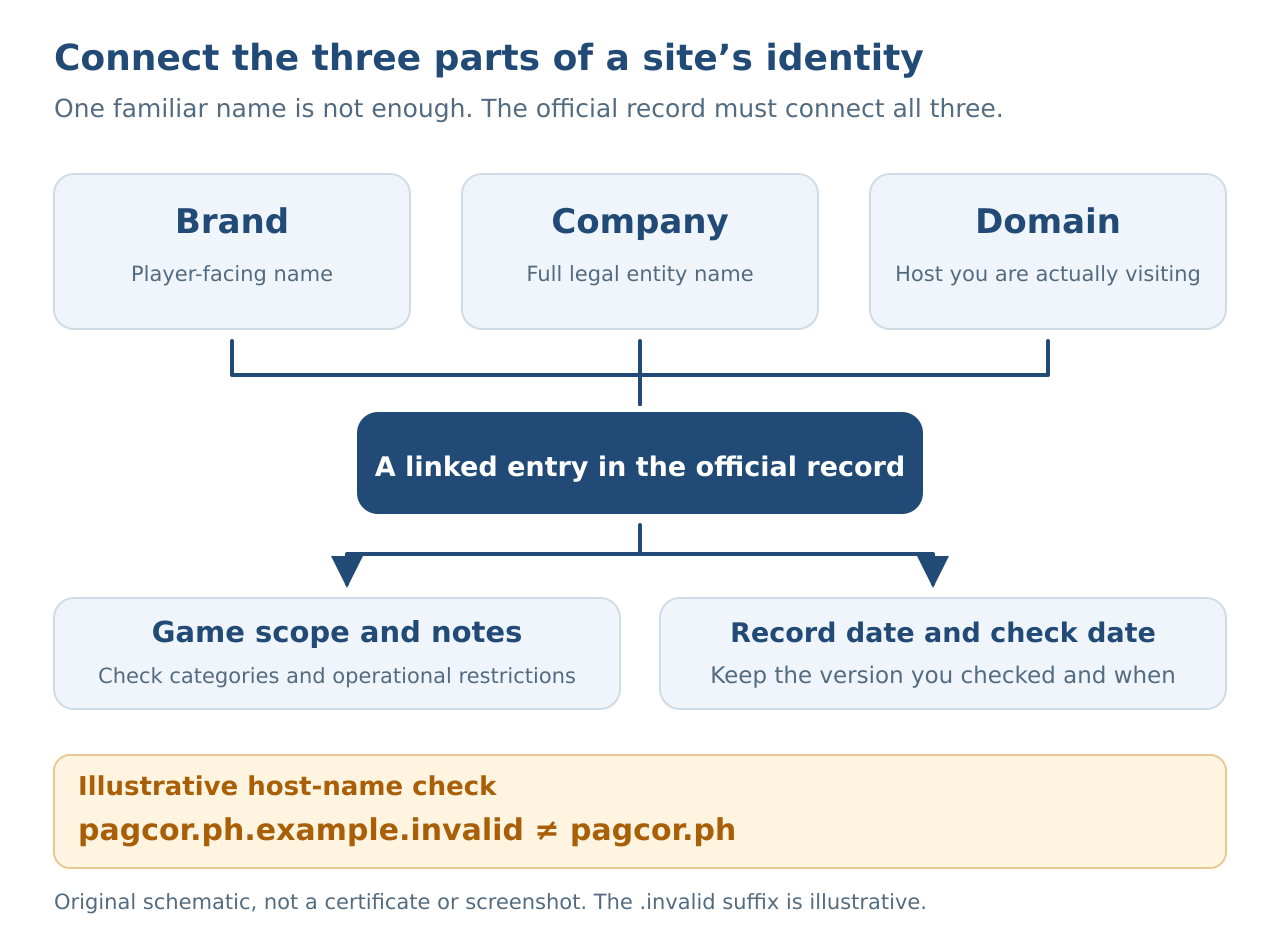
Hold off on depositing money or uploading ID. Open the site’s footer, terms or About page and note its brand name, full company name, claimed regulator and licence number. Copy the full URL from your browser’s address bar, too. A brand and its operating company can have different names, so look for an official record connecting both to the address you’re using. A claim that the site “belongs to the same group” doesn’t establish that every brand in that group is authorised.
Treat a certificate image as something to check. PAGCOR has warned about illegal websites using its logo and fabricated certificates. Take the same care with a “verification link” sent by customer support: check the address it leads to. Seeing the PAGCOR logo again on that page is no substitute for independent verification.
Find the right official list
Open the PAGCOR website yourself and go to its regulatory pages, rather than relying entirely on links supplied by the casino. The official PAGCOR Guarantee directory provides an entry point for checking authorised online gaming platforms. To compare company names and web addresses, use the lists linked from PAGCOR’s electronic gaming regulatory page. There are separate lists for gaming system administrators and their brands and domains, and for the online brands and domains of licensed casinos. A game supplier or promotional affiliate appearing on another list doesn’t verify the website where you intend to play.
Read the full hostname, rather than looking only for the word “pagcor” somewhere in it. PAGCOR’s main site uses pagcor.ph; its separately announced official directory uses pagcorguarantee.ph. Similar-looking addresses or addresses with extra endings need another check. If your browser displays a security warning, don’t bypass it to enter your details.
You can also use AskSpinner’s PAGCOR licence checker as a supporting starting point, then return to the official records to complete the check. A third-party result cannot replace confirmation from the regulator. Check the date printed in the document itself: search snippets, old bookmarks and forwarded screenshots may still point to earlier information.
Read the whole row, including the small print
Here’s a concrete example. The list of licensed-casino brands and domains opened for this guide on October 2, 2026 carries the date September 17, 2026. Item 3 on page 1 places DONGGWANG CLARK CORPORATION, D’Heights Online and dheightscasino.com in the same row. The games column lists Slots and Live Gaming Tables. That gives you a checkable example of how the fields connect. It is not a recommendation of the site, and you should check the records again before using it.
Now compare your own notes with the relevant row. Follow it from the full company name to the brand, then through the main domain, subdomain and additional URL fields. The address you’re actually visiting needs to be supported by the official record. Matching a familiar brand word, a company name or a similar spelling is not enough. If support says you’re using a “new mirror site”, ask for official evidence connecting that address to the authorised operation.
Read the game categories and footnotes, too. The version of the gaming system administrator list reviewed for this guide marks game offerings that have yet to begin commercial operations with an asterisk. A company’s appearance on the list does not establish that every game category under its name is already operating.
The type of authorisation matters as well. PAGCOR’s offshore gaming notice states that all Internet Gaming Licensees and Authorized Providers were cancelled effective December 15, 2024. An old POGO or offshore authorisation cannot establish current permission to serve players in the Philippines. This guide’s verification steps also leave your own eligibility to check, including age, location and any other restrictions on participation.
If the details don’t match, pause here
If you can’t find a record, the domain differs, the document is too old, or official pages contradict each other, pause deposits and ID uploads while you check. One unsuccessful search cannot settle every legal question. Equally, “perhaps the list hasn’t been updated” is no reason to go ahead and pay.
Save the URL, the site’s licensing claim, the documents you found and the date you checked them. Use PAGCOR’s official regulatory contact page to ask whether that specific company, domain and game category are authorised. Include the actual address in your question, rather than simply asking whether a brand is legitimate. Those public details are enough for an initial enquiry; you don’t need to provide an account password or verification code.
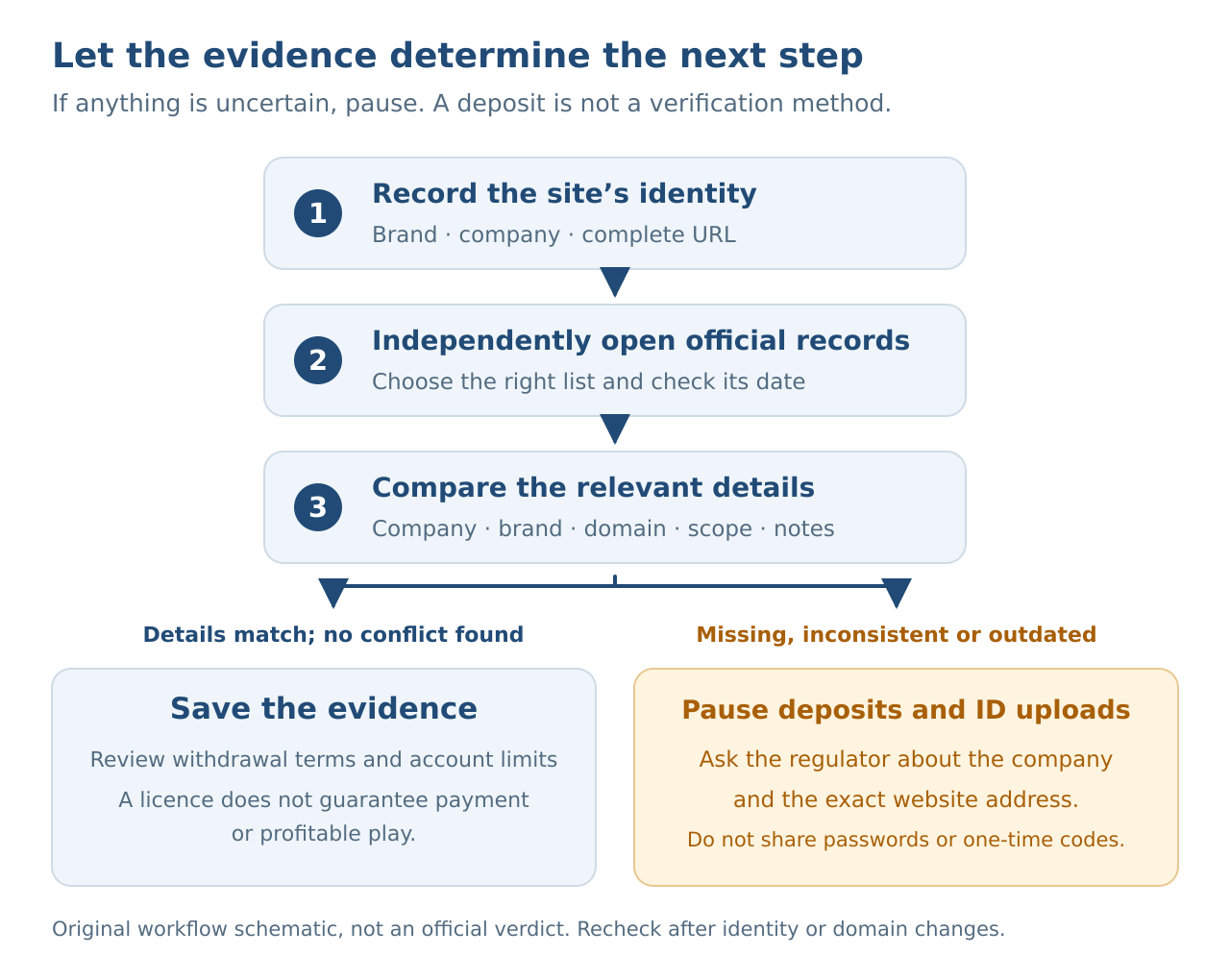
Once you’ve completed the check, keep the record you relied on and look at withdrawal conditions, complaint channels and account restrictions. A licence record cannot guarantee that every withdrawal will arrive on time, that you’ll make a profit or that you won’t lose money. If the site changes domains, the operating company changes or the regulator issues a new notice, check again instead of relying on your first result.

Affiliate Disclosure
AskSpinner contains affiliate links and may earn a small commission from qualifying registrations. Our partnerships do not affect our rankings or reviews. All casinos are evaluated objectively based on expert reviews, Overall Score ratings, and real player feedback.
First Deposit Bonus Up to ₱900
Registration Bonus ₱20
Daily Task Rewards Up to ₱565
Coin Pusher Bonus Up to ₱2,000
First Deposit Bonus Up to ₱6